 Form submitted
 Lead created
 Team notified
Sales
Every lead captured, instantly
A website form creates a lead in monday.com, assigns an owner, and alerts the sales channel in Slack.
We design the boards, build the automations and train your team, so monday.com becomes the one place where sales, projects and reporting actually run.
Form submittedLead createdTeam notifiedA website form creates a lead in monday.com, assigns an owner, and alerts the sales channel in Slack.
Six things we most often build on monday.com, each shaped around your process, not a generic template.
Leads, deals and follow-ups in one pipeline, with owners and reminders set automatically.
Forms, checklists and approvals that take each new client from signed to started.
Live views of revenue, workload and bottlenecks, without asking around.
One intake for IT, HR and ops requests, routed to the right person.
Templates that launch from a won deal, with tasks, dates and status built in.
Closed deals flow to invoicing, so finance never re-types an order.
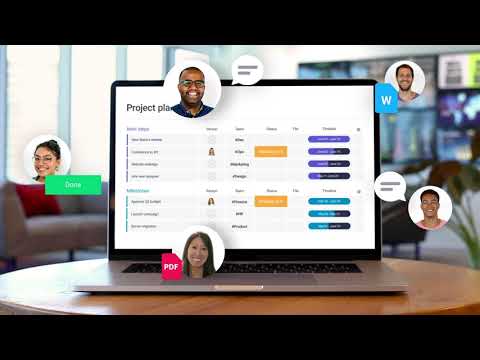
A short official overview from monday.com, so you can see the platform before we talk.
Three common flows we build. Each one replaces copy-paste work with a single automated chain.
Form submittedLead createdTeam notifiedA website form creates a lead in monday.com, assigns an owner, and alerts the sales channel in Slack.
 Deal won
 Project created
 Invoice issued
When a deal is won in your CRM, the project is built in ClickUp and the invoice is drafted in Xero.
 Data collected
 Report built
 Sent to leaders
Numbers from several tools are pulled together every Monday and emailed to leadership as one summary.
Sample flows. We replace these with automations we have actually built for clients.
A simplified example of a sales board. Yours is built around your own stages, fields and owners.
| # | Deal | Source | Owner | Stage |
|---|---|---|---|---|
| 1 | Acme Logistics | Typeform | AAlex | Qualified |
| 2 | Brightline Dental | Gmail | SSam | New |
| 3 | Northwind Studio | Calendly | DDana | Proposal |
| 4 | Harbor & Co. | HubSpot | AAlex | Won |
| 5 | Pine Street Cafe | Stripe | SSam | Won |
From a one-time audit to ongoing support. Most clients start with the audit.
We map your current processes and tools, and find where time is lost.
Best for
Teams who know something is off but not where to start
We automate one clear, high-impact process from start to finish.
Best for
One repetitive task that eats hours every week
We set up and customize your tools, then connect several systems at once.
Best for
Growing teams ready to run on one connected system
We maintain, fix, and keep improving your system after go-live.
Best for
Teams who want a partner, not a one-off project
How it works
Both are strong. monday.com tends to fit sales, CRM and reporting best, while ClickUp tends to fit delivery, time tracking and docs. We recommend by your process, not by preference.
Compare in a free auditMain ToolsOne place for projects, tasks, and docs, shaped to your delivery process.
Yes. We audit your current setup, clean up what's broken and rebuild what's slowing your team down.
Tell us how your team works today. We'll review your tools and processes, then send you a short, practical plan to connect them.
We reply within 1 working day. No sales pressure.